Build "Cell Atlas" - a single self-contained HTML file (three.js from a CDN is the only dependency): an interactive 3D biology explorer with five models you can spin, zoom and explore part by part. No image files, no 3D model files and no generated images: every model is built from code.

The models (this is the whole point - they must look like illustrations from a beautiful biology textbook, not a pile of spheres)

- Five models: animal cell, plant cell, white blood cell, neuron and DNA
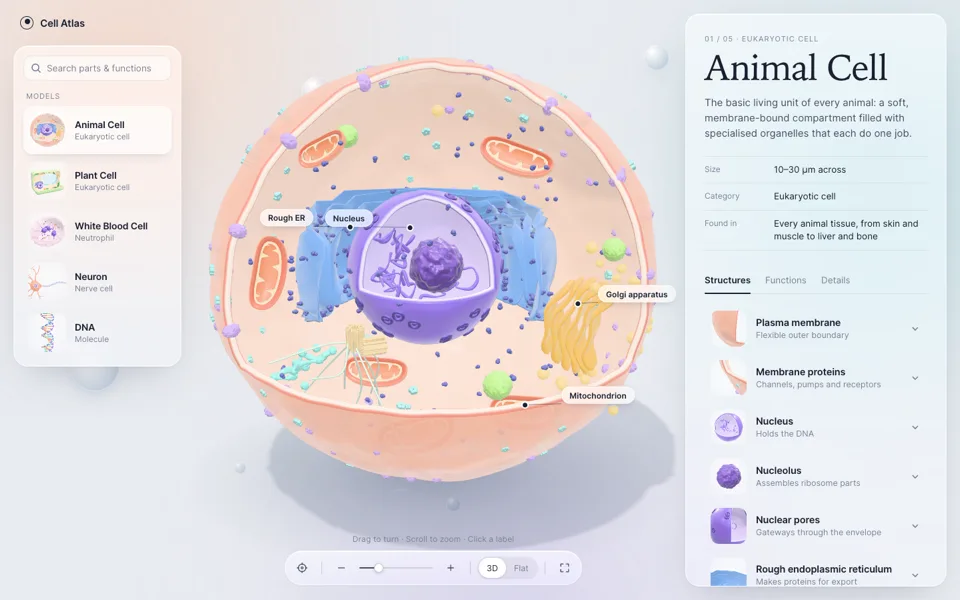
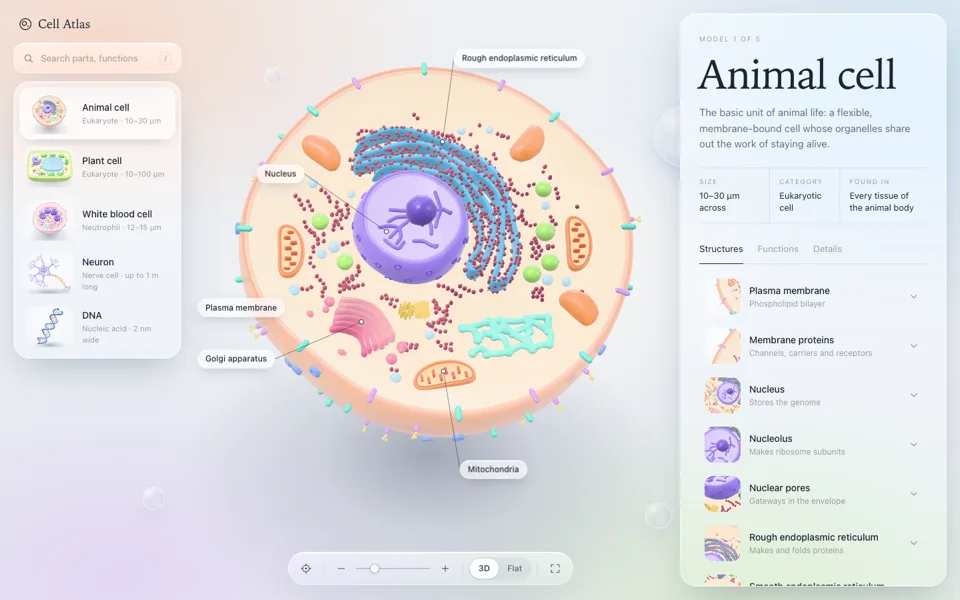
- Animal cell: cut away to show the inside. Membrane with embedded proteins, nucleus with nucleolus and pores, folded endoplasmic reticulum wrapped around the nucleus, Golgi stacks, bean-shaped mitochondria with visible inner folds, ribosomes and vesicles
- Plant cell: boxy, cut away to show the inside, with the parts a plant cell really has
- White blood cell: bumpy, ruffled surface, cut away to show a lobed nucleus and granules
- Neuron: cell body, branching dendrites, a long myelinated axon and branching axon terminals
- DNA: a double helix with two backbones and color-coded base pairs
- Smooth, glossy materials like wet clay or polished resin, with soft highlights, a gentle rim light and thin membranes that let a little light through. Every part is sculpted with real depth: folds, ridges and bevels that catch the light. Studio lighting and a soft shadow on the ground. The model is the hero and fills most of the space between the panels. It starts with the cut-away side facing me and drifts gently from side to side until I touch it, so the inside stays in view
- The biology has to be correct. Students will learn from this

Labels

- Each model shows three to five labels at a time, never more: a small pill, a thin line and a dot sitting on the actual part
- Labels follow their parts as the model turns, stay out of each other's way and hide when their part faces away
- Clicking a label opens that part in the panel

UI

- Frosted glass panels that visibly blur what's behind them, with a bright top edge and a soft shadow. The page background is never flat: soft washes of tone and a few small floating glass bubbles give the glass something to blur. A small "Cell Atlas" wordmark top left
- The whole interface feels refined and quiet: generous space, thin lines and very few colored accents. Keep pills, badges and colored dots to a minimum
- Left: a card for each model, with a thumbnail rendered live from the real 3D model
- Right: a panel with the model's name set very large, one sentence about it, its size, category and where it's found, then Structures, Functions and Details tabs
- Structures: expandable cards, each always showing a rendered close-up thumbnail of that part, even when collapsed. Opening one adds a short explanation and "Show on model", which flies the camera to the part and highlights it
- Search across parts and functions. Choosing a result switches to the right model and opens that part
- Bottom toolbar: recenter, zoom buttons and slider, 3D or flat front view, full screen
- Scrolling over the model zooms it, and at the zoom limit the page scrolls normally. On a phone, vertical swipes scroll the page and horizontal swipes turn the model. Respect reduced motion. Smooth 60fps